FOV (Field of View)
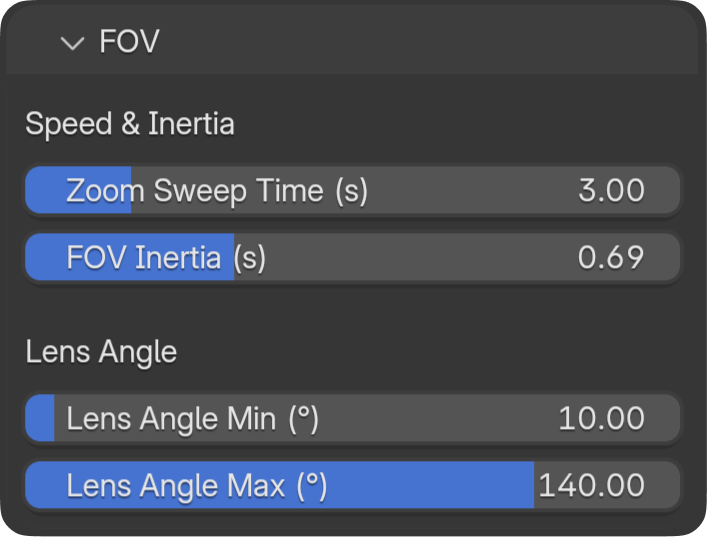
FOV controls how wide or narrow the camera's view is — like zooming in or out.
How to Control FOV
Hold FOV Up or FOV Down (default: D-Pad Up/Down). The zoom ramps over ~0.55 s, then sweeps to min or max angle.
FOV Panel Settings
Min / Max Degrees
- What they do: The range of zoom — narrowest (telephoto) and widest (wide-angle) angles.
- In practice:
- Wide max (e.g. 90°) — More of the scene visible, good for establishing shots.
- Narrow min (e.g. 15°) — Tight zoom, good for details or dramatic close-ups.
- Blender default: 50°.
Sweep Time
- What it does: How long it takes to zoom from current angle to min/max when holding the button.
- In practice: Shorter = quick zoom. Longer = gradual, cinematic zoom.
FOV Response Time
- What it does: Smoothing of FOV changes.
- In practice: Higher = smoother zoom transitions. Lower = more immediate.
When to Adjust
- Wide range — If you want dramatic zoom-ins/outs (e.g. 15°–90°).
- Narrow range — If you only need subtle zoom (e.g. 40°–60°).
- Sweep time — Match to your shot style: quick cuts vs slow reveals.