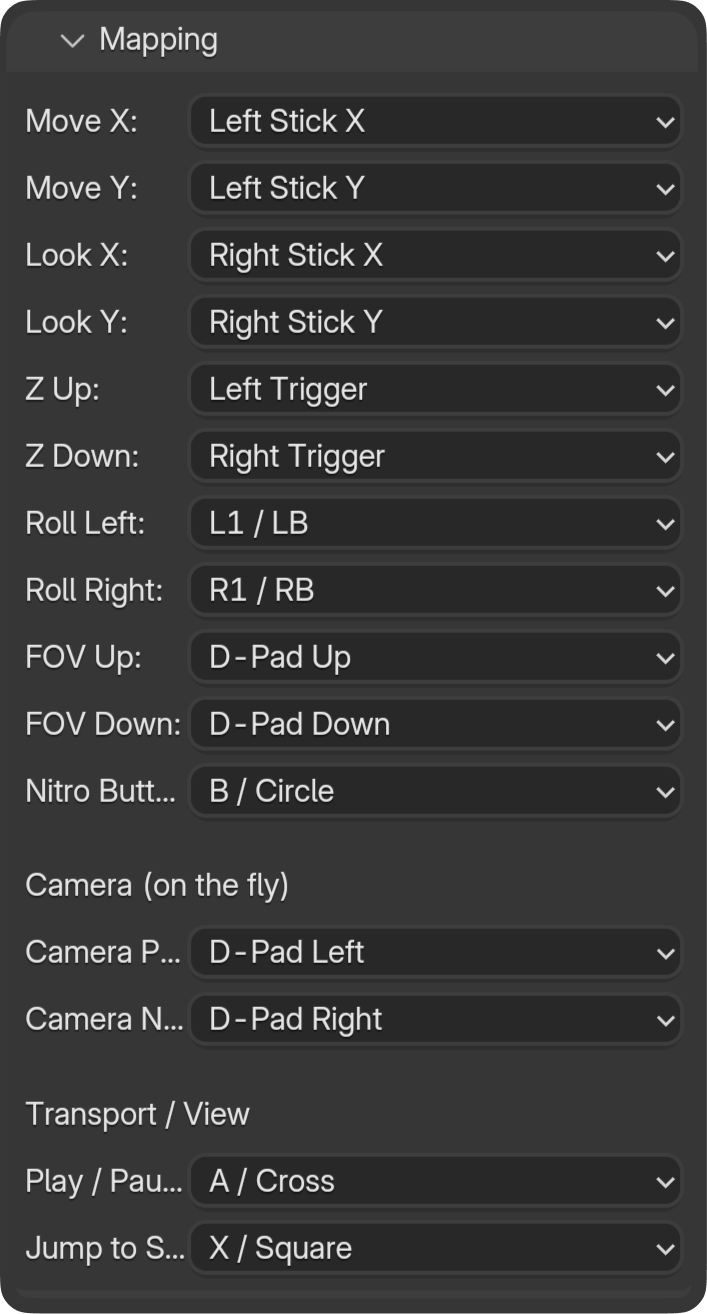
The Mapping panel lets you remap all axes and buttons. Each control can be assigned to a different stick axis or button. The image above shows the full mapping layout.
Movement Axes
| Control | Default |
|---|
| Strafe left/right | Left stick X |
| Forward/backward | Left stick Y |
| Up/down | Triggers / dedicated |
Look Axes
| Control | Default |
|---|
| Pan (yaw) | Right stick X |
| Tilt (pitch) | Right stick Y |
| Roll | Bumpers / dedicated |
Nitro (Boost)
| Control | Default |
|---|
| Hold to boost speed (0–10×) | B (Xbox) / Circle (PlayStation) |
Camera Switching
| Control | Default |
|---|
| Next camera in project | D-Pad Up |
| Previous camera in project | D-Pad Down |
FOV
| Control | Default |
|---|
| Zoom in | (mapped) |
| Zoom out | (mapped) |
Transport (Timeline)
| Control | Default |
|---|
| Play | A (Xbox) / X (PlayStation) |
| Jump to Start | X (Xbox) / Square (PlayStation) |
| Previous frame | B (Xbox) / Circle (PlayStation) |
| Next frame | Y (Xbox) / Triangle (PlayStation) |
Inversions
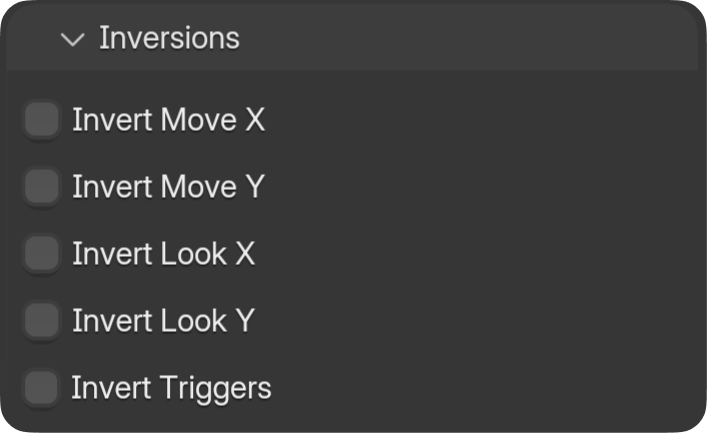
The Inversions panel lets you flip move, look, or trigger axes (e.g. invert Y for look).