Movement & Look
How the gamepad controls the camera — and what each setting does in practice.
Stick Mapping (Default)
| Stick | What it does |
|---|---|
| Left stick X | Strafe left/right |
| Left stick Y | Forward/backward |
| Right stick X | Pan (turn left/right) |
| Right stick Y | Tilt (look up/down) |
All mappings can be changed in the Mapping panel.
Movement Panel — Speed Sliders
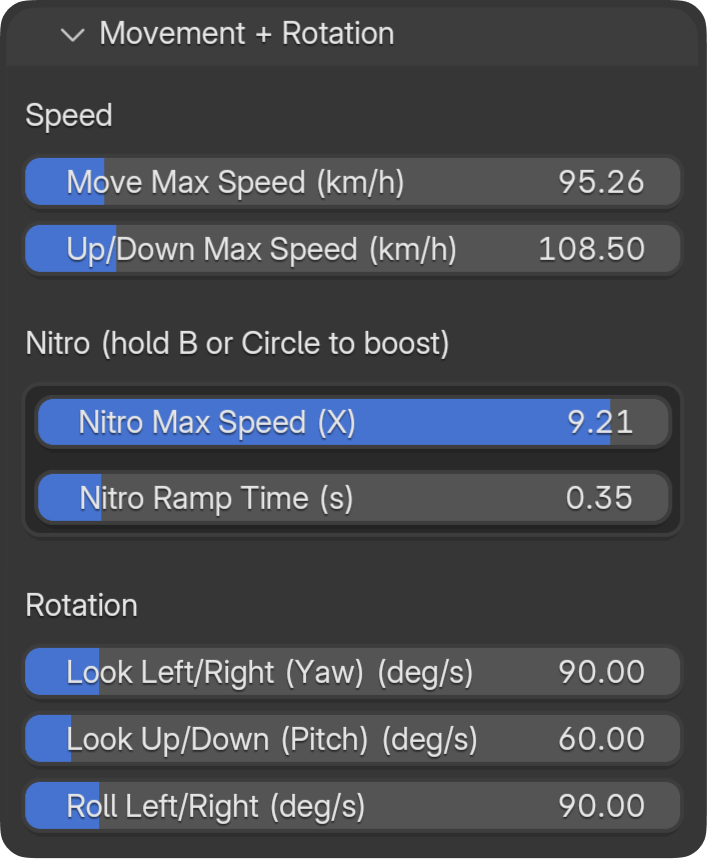
The Movement panel controls how fast the camera moves and rotates. Higher values = faster response.
Horizontal Speed
- What it does: How fast the camera moves forward, back, and strafes (km/h).
- In practice: Low = slow, cinematic crawl. High = fast fly-through.
- Tip: Start around 20–40 km/h for smooth shots; increase for action or blocking.
Vertical Speed
- What it does: How fast the camera moves up and down (km/h).
- In practice: Often lower than horizontal for natural feel — climbing/descending feels different from strafing.
- Tip: Match or slightly reduce vs horizontal for balanced feel.
Rotation Speeds
- What they do: How fast the camera rotates (degrees per second).
- Yaw — Pan left/right (right stick X).
- Pitch — Tilt up/down (right stick Y).
- Roll — Camera roll (bumpers or mapped buttons).
- In practice: Lower = smoother, more controlled. Higher = snappier, more reactive.
- Tip: For cinematic work, keep rotation speeds moderate so you don't overshoot.
Nitro (Boost) Mode
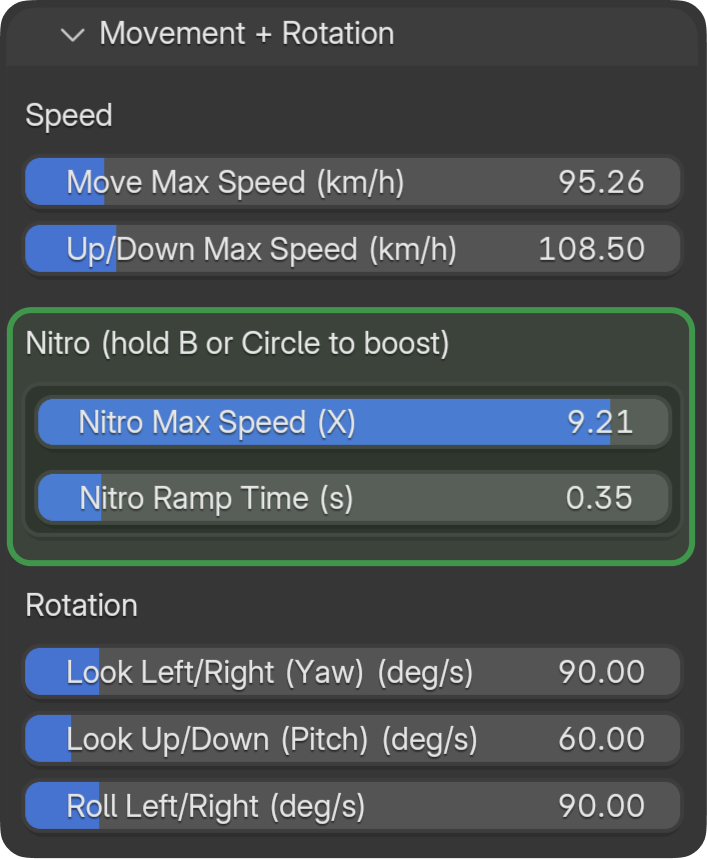
Hold B (Xbox) or Circle (PlayStation) to temporarily boost movement speed.
- Multiplier (0–10×) — How much faster you go when holding boost. 0 = no boost, 10 = 10× current speed.
- Ramp — How quickly the camera reaches the boosted speed when you press the button, and how quickly it returns when you release.
In practice: Use Nitro for quick repositioning or dramatic speed changes mid-flight. Lower ramp = smoother transition; higher ramp = snappier response.
Camera Switching (D-Pad Up/Down)
D-Pad Up and D-Pad Down switch between cameras in the project on the fly — without stopping. Cycle through all scene cameras while flying.
Axes Overview
- Movement — Translation (camera axes: right, forward, world up).
- Look — Rotation (yaw, pitch).
- Roll — Camera roll (with Auto-Horizon option to keep level).
- FOV — Field of view (mapped buttons; see Mapping).
Units
- Movement: km/h (1 Blender unit ≈ 1 m, so 1 unit/s ≈ 3.6 km/h).
- Rotation: deg/s (degrees per second).
- FOV: degrees (°).